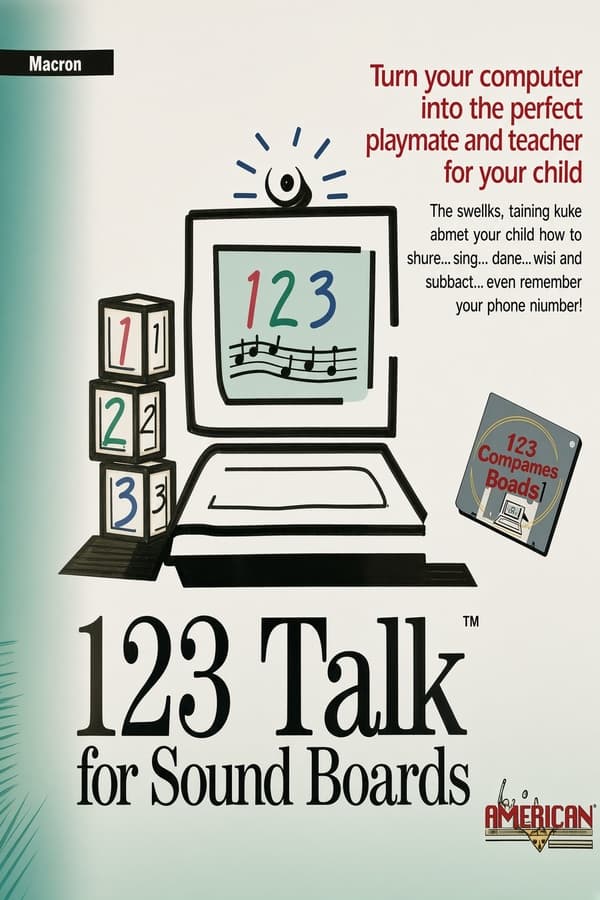
123-Talk
aka 123 Talk · 123-Talk: Talking Teacher for Numbers, Counting and Math
Rate this game
- Played
- A lot
123-Talk tried to bring real voice feedback to standard PC speakers in 1993, but the resulting audio sounded less like a helpful teacher and more like a voice calling out from a distant storm drain.
What happens when you launch 123-Talk
You start the 1993 software and meet an immediate wall of jagged, high-contrast numbers. Developed and published by Creative Educational Software Inc., the program aims to teach basic arithmetic and keyboard familiarity to toddlers. The reality of using it involves clicking through a cluster of simple minigames while your PC attempts to force digitized speech through internal hardware that was never built for it.
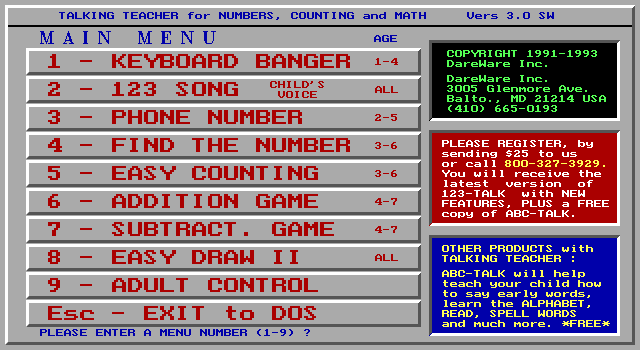
The core routines test fundamental skills through crude visual prompts. When you open Keyboard Banger 123, the screen fills with a repeating pattern of colored digits. Hitting a number key clears the canvas, centers the character, and triggers an audio line urging you to repeat it back. It is simple, mechanical, and startling when the synthesized audio bursts out of the case.
Other activities try to add structure to the basic counting exercises. The package includes several specific modes designed for early learners:
- Easy Counting Game: Displays a cluster of bright balloons and asks you to input the total count.
- Addition and Subtraction Games: Presents simple equations like 3 + 2, using grouped balloon graphics to visually guide the answer.
- Your Phone Number Is: Recites digits sequentially to help children memorize home contact numbers.
- 123 Song: Displays digits one through twenty on screen while a voice counts through them in order.
- Easy Draw II: A basic digital slate that lets you scribble using left-click and change chalk colors with right-click.
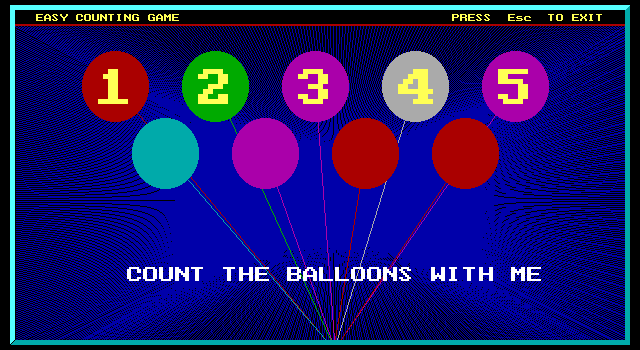
Audio experiments in 123-Talk MS-DOS game history
The headline feature was complete speech synthesis without requiring extra hardware. In 1993, most home PCs lacked dedicated sound cards, leaving the internal speaker as the only native sound source. The developers spent 42 weeks digitizing human voice lines and packing them into the software so the host could offer praise and instructions.
Through a basic internal speaker, that speech comes out completely crushed. The female host sounds muffled and distorted, turning encouraging phrases into garbled static. To actually hear the clear performance, players had to purchase a separate edition tailored for Sound Blaster cards. Without that upgrade, the audio presentation felt notoriously eerie.
Visually, the title relies on standard CGA, EGA, and VGA modes to draw its graphics. Big text, bright primary colors, and basic geometric shapes dominate every minigame. There are no smooth animations or detailed character sprites, giving the entire interface a sparse, stark look.
Where the design succeeds and where it fails
As a piece of educational software, the game works best when it keeps tasks completely direct. The counting and simple arithmetic modules offer instant visual reinforcement using balloon icons. A toddler can easily grasp the connection between three painted shapes on screen and pressing the matching digit key.
The open-ended modes feel far less considered. Easy Draw II provides basic drawing tools, but its inclusion alongside structured math modules feels mismatched. The lack of interactive objects or varied brush tools limits its interest after just a few minutes of dragging the cursor around the black screen.
The unrelenting audio feedback also wears down your patience very quickly. Hearing the same compressed audio string repeat after every single correct keypress makes long sessions grating. The pacing halts constantly while the game waits for the speech clip to finish playing before accepting your next keyboard input.
How it compares to other early software
Put alongside competing releases from the same period, the project shows its production limits clearly. Commercial giants like Living Books were already delivering polished animations and full digital soundtracks on CD-ROM. By comparison, this $25 shareware distribution feels distinctly budget, relying on clever coding tricks rather than rich media assets.
Pushing voice output through a standard PC speaker made practical sense at the time. The team built a functional talking tutor that ran on bare-bones IBM-compatible rigs without forcing parents to buy expensive add-on cards. It sacrificed clarity so it could work on almost any early consumer PC.
The result is a minor curious release that trades visual charm for technical compromise. It shows how software creators struggled to make computers speak before sound cards became universal household components.
How to play 123-Talk online today
Nobody needs to track down vintage hardware or configure memory limits to sample this piece of software history now. You can play 123-Talk free in your browser right here on this page, complete with full internal sound emulation built in.
You can run the full 123-Talk MS-DOS game directly in your web browser with no download required. Give the balloon arithmetic games a quick try, hear what the crackly speaker voice sounded like, and see how early developers tried to make home computers speak.
How 123-Talk is played — the keys the game listens to, grouped by what they do.
- Action
- Interface
- Left click — Draw on screen
- Right click — Change color
Highlighted keys are mapped — hover or tap one to see what it does.
Players' controls
Touch and gamepad controls
The on-screen keyboard and gamepad mapping the browser player uses on a phone, a tablet or a controller, as opposed to the real keys above. $PRO members make their own in the player and share them here; anyone can pick one to play with.
Make your own touch controlsPRO
- 1Open the editorSign in below, then pick what to make. The game starts with the editor open over it.
- 2Place your keysAdd keys and drag them where your thumbs rest, or map a controller's buttons. Test plays the game with them; Save keeps them, and you play with them from then on.
- 3Share themShare them right after saving in the game, or name and share them here. Players vote, and the best become this game's controls for everyone.
Go PROSee how it worksSign in+20 XP for sharing · +50 XP if yours become the game's own
- The game's own controlsKeyboardGamepadWhat every player starts with.In use
2 screenshots
From the archive
No reviews yet
Tell the community what you think of 123-Talk. Reviews are public and tied to your username.
No archived manuals for 123-Talk yet
No manuals archived for this title yet. Sign in to upload the first scan.
Cheat codes, console commands and memory pokes for 123-Talk — each one verified and attributed.
Sign in to submitNo cheats yet for this title
Know a working cheat, poke or trainer? Add it with the button above. Moderators check every entry before it goes live.
No archived soundtrack for 123-Talk yet
No soundtrack archived for this title yet. Sign in to upload the first rip.
No save states for 123-Talk yet
No save states for this title yet. Sign in to share one.
Discussions
Sign in to post- Threads0
- Total posts0
- Online now6
Community · 123-Talk
Who's contributing, and what's new
- Reviews0
- Threads0
- Uploadsapproved0
- Contributors0
Recent activity
Nothing here yet
Reviews, discussion threads and approved uploads appear here as members add them.