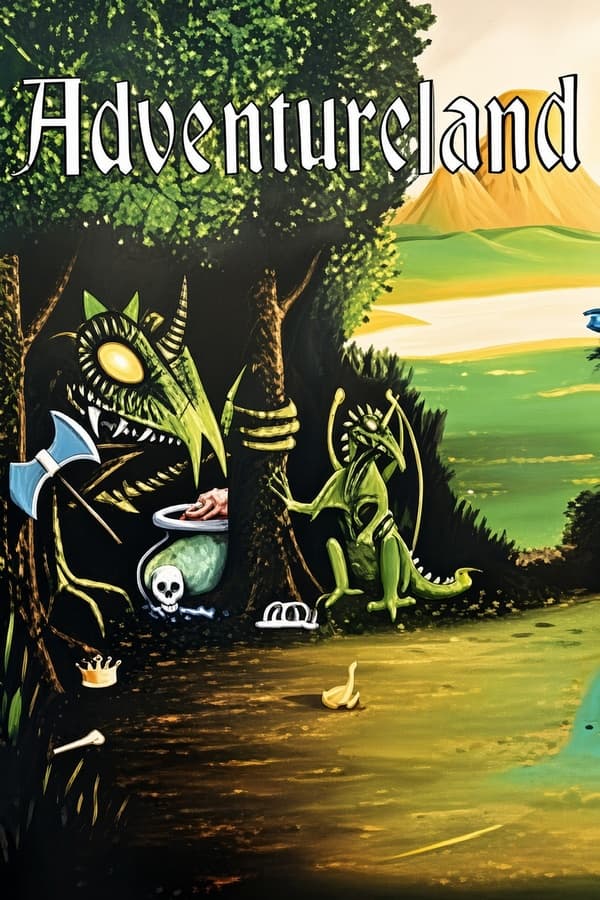

Adventureland
Rate this game
- Played
- A lot
If you drop into Adventureland expecting a sweeping narrative, you will instead find a stark 1978 treasure hunt that asks you to haul thirteen artifacts into a hollow tree stump while battling a strict two-word parser.
Sitting down with Adventureland and its split screen
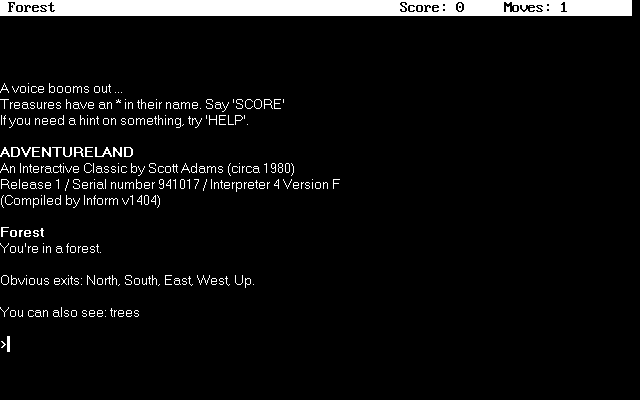
Starting up Adventureland puts you straight into a wilderness without a backstory or a warm-up exercise. You step into a world of forests, underground caverns, wild animals, and hell itself, with your inventory space ticking away from the very first room. Your entire reason for being there is to haul thirteen specific treasures, ranging from a diamond necklace and a pot of rubies to a dragon's egg and Paul Bunyan's blue ox Babe, back to a hollow tree stump.
The screen layout sets itself apart from early mainframes and contemporaries like Zork. Instead of a single scrolling wall of text, the display splits cleanly into two distinct areas. Room descriptions, obvious exits, and visible items remain visible on the top half of your display, while your input line sits quietly at the bottom. It keeps your surroundings in view, though the text describing those rooms is stripped down to the barest bones.
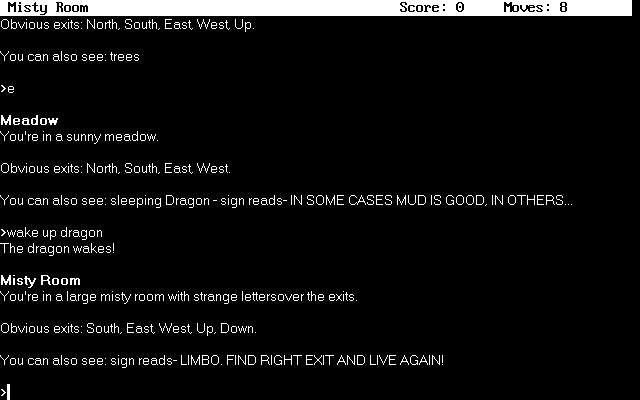
That extreme brevity means you spend less time reading flavor text and more time wrestling with logistics. You grab an axe, light a lamp, and figure out how to bypass a bear or avoid angry bees before your lamp oil runs out. The simplicity of the layout makes navigation quick, but it leaves all the atmosphere up to your imagination.
Fitting a fantasy kingdom into 16K of memory
The history of Adventure International began when designer Scott Adams got hooked on Colossal Cave Adventure while working on a mainframe. Wanting to share that kind of experience with friends who only owned home microcomputers, he spent over six months writing his own custom interpreter in assembly language and BASIC. His target machine was a TRS-80 with just 16K of RAM, which forced him to pack every location, item, and verb into an extremely condensed data structure.
That effort laid the foundation for commercial adventure games sold directly to consumers, eventually leading to ports across almost every home machine available, including the later MS-DOS releases. To achieve that tiny memory footprint, Adams had to compromise heavily on prose and parser logic. Every command had to fit a rigid verb-noun structure, and the underlying engine cut major code corners just to survive inside microcomputer hardware constraints.
The most famous technical trick is how the game reads your keyboard input. The parser only evaluates the first three letters of any word you type. Typing LIGHT LAMP works, but typing LIG LAM produces the exact same result. Players quickly learned to type truncated commands to save time and keystrokes during long play sessions.
The three-letter parser and obscure maze tricks
The parser truncation that saved memory also creates infuriating input traps. Because the engine checks only three letters, any two words sharing their first three characters look identical to the game. If you try to interact with an item using a word the system mistakes for another internal command, you get nonsensical failures that make you think a puzzle is broken when the game simply misread your intent.
Solving puzzles in this game often relies on brute curiosity and reading every piece of text twice. Navigating the dark underground maze complex requires precise resource management so your lamp does not burn out while you search for the golden fish or the magic carpet. In one famous twist, players get stuck trying to conserve light until they discover a odd command hidden on a maze wall: UNLIGHT LAMP, an obscure verb phrasing that turns your light source off to save fuel.
Inventory management is the real main antagonist of the game. You cannot simply carry all thirteen treasures along with your axe, lamp, and key tools at once. Every trip down into the caverns involves calculated risk, forcing you to stash loot inside the hollow stump, trek back down into dangerous territory, and hope you do not run into a dead end without the right item in hand.
Where Scott Adams' first adventure cuts deep
Playing through it today exposes how unyielding early text design could be. There are no safe safety nets, no narrative hints to steer you, and no detailed explanations when a puzzle fails. If a dragon burns you to ash or a wild animal blocks your path, your only option is to restart or load a save state and try a different combination of items.
- Strict inventory caps: Forcing constant backtracking to the tree stump just to dump items.
- Abrupt parsing limits: Commands fail if your verb or noun is not in the limited dictionary.
- Unforgiving light timers: Getting lost in the dark caverns leaves you helpless without lamp fuel.
- Minimal room descriptions: Locations rely entirely on basic lists rather than descriptive prose.
Compared to software from even a few years later, the world feels more like an abstract logical grid than a living fantasy realm. Yet that raw structure is exactly what makes completing it satisfying. Every treasure recovered feels like a victory against both the environment and the parser.
How to play Adventureland online right now
If you want to experience the roots of home computer interactive fiction, you can play Adventureland online directly in your browser. There are no installers to deal with and no disk images to configure before jumping straight into the action.
Solving this grueling puzzle box to watch thirteen treasures pile up inside that hollow stump is still worth the effort. Launch the game in your browser window, grab the lamp, and try typing truncated short commands like LIG LAM to see how much world Scott Adams managed to squeeze into 16K of memory.
How Adventureland is played — the keys the game listens to, grouped by what they do.
- Movement
Highlighted keys are mapped — hover or tap one to see what it does.
Players' controls
Touch and gamepad controls
The on-screen keyboard and gamepad mapping the browser player uses on a phone, a tablet or a controller, as opposed to the real keys above. $PRO members make their own in the player and share them here; anyone can pick one to play with.
Make your own touch controlsPRO
- 1Open the editorSign in below, then pick what to make. The game starts with the editor open over it.
- 2Place your keysAdd keys and drag them where your thumbs rest, or map a controller's buttons. Test plays the game with them; Save keeps them, and you play with them from then on.
- 3Share themShare them right after saving in the game, or name and share them here. Players vote, and the best become this game's controls for everyone.
Go PROSee how it worksSign in+20 XP for sharing · +50 XP if yours become the game's own
- The game's own controlsKeyboardGamepadWhat every player starts with.In use
2 screenshots
From the archive
No gameplay video yet
No gameplay video for Adventureland yet. Sign in to add one.
No reviews yet
Tell the community what you think of Adventureland. Reviews are public and tied to your username.
No archived manuals for Adventureland yet
No manuals archived for this title yet. Sign in to upload the first scan.
Cheat codes, console commands and memory pokes for Adventureland — each one verified and attributed.
Sign in to submitNo cheats yet for this title
Know a working cheat, poke or trainer? Add it with the button above. Moderators check every entry before it goes live.
No archived soundtrack for Adventureland yet
No soundtrack archived for this title yet. Sign in to upload the first rip.
No save states for Adventureland yet
No save states for this title yet. Sign in to share one.
Discussions
Sign in to post- Threads0
- Total posts0
- Online now6
Community · Adventureland
Who's contributing, and what's new
- Reviews0
- Threads0
- Uploadsapproved0
- Contributors0
Recent activity