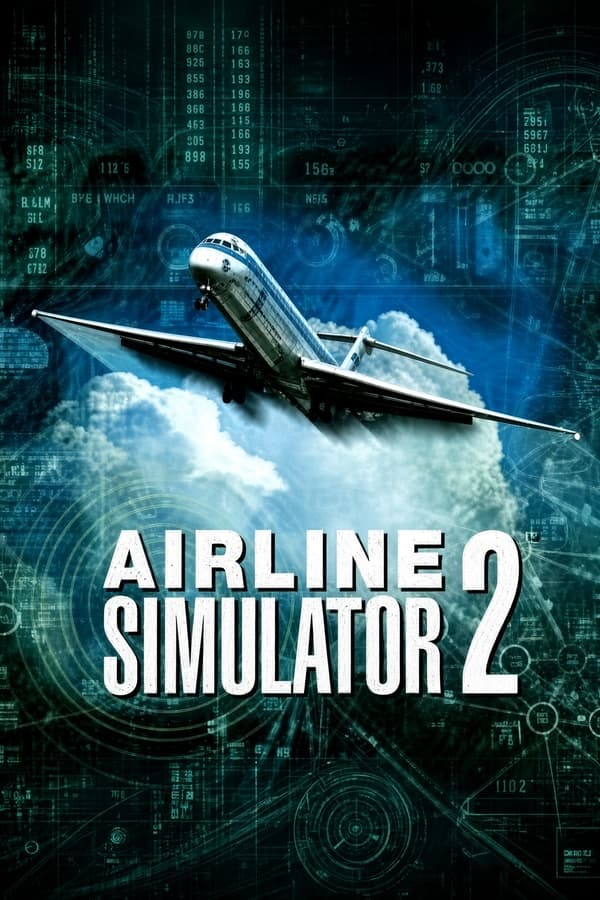
Airline Simulator 2
Streaming build
Checking storage…228 MB
Preload in background
JIT compiler
Rate this game
- Played
- All the time
If you want to know what commercial flying actually felt like on a PC in the late nineties, Airline Simulator 2 skips the arcade shortcuts and hands you a 190-page manual alongside a Boeing 747 cocked sideways in a crosswind.
From subLOGIC heritage to a full aerodynamic physics overhaul
Before desktop civil flight simulation settled into smooth 3D accelerators and polished menu systems, subLOGIC's earlier Airline Transport Pilot set a strict standard for radio navigation and flight planning. The developers behind Airline Simulator 2 took that inheritance and spent three years rewriting the mathematical core. They built a custom physics engine focused on true airflows and inertia rather than simple pre-baked flight vectors.
When you take off in the heavy Boeing 747-400 or the twin-jet MD-83, the math under the hood accounts for tiny physical forces. Tyre deformation on landing, ground friction, and shifting air pockets all dictate how the airframe responds. The game expects you to respect those numbers long before your wheels leave the tarmac.
The calculation model goes well beyond basic lift and drag. If you attempt an illegal barrel roll in a loaded airliner, structural stress equations kick in immediately. Exceeding airframe tolerances tears away flaps, slats, or wing sections, forcing you to compensate for asymmetric drag and flamed-out engines on your way down.
Procedural flight planning makes Airline Simulator 2 a serious heavy-metal job
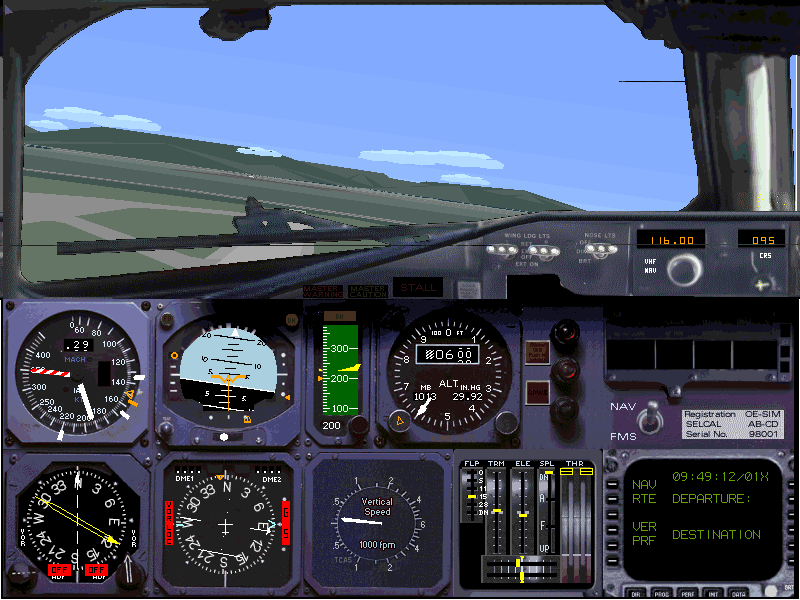
You do not just push the throttles forward and fly by sight. Every flight begins with mandatory pre-flight calculations where you compute your fuel burn, gross weight, and required takeoff speeds. Jumping straight into the cockpit without studying your approach charts leads to an early drift off your assigned arrival vector.
Once airborne, you manage your navigational radio stack while responding to flight crew audio cues and air traffic control prompts. Navigating through low-visibility fog relying solely on your Instrument Landing System instruments requires strict discipline. Missing your glide slope by a fraction of a degree usually ends with a hard touchdown that collapses half your landing gear.
The physical box reflected this uncompromising depth. The simulation shipped with three huge printed enroute maps, a 150-page airport chart booklet, and a complete manual. You had to keep real paperwork spread across your desk just to track fix points across regional airspace.
Simplistic visual engines met severe mechanical punishment
When this simulation game appeared in 1999, players noticed an obvious contrast. The graphics resembled flat computer displays from 1992, featuring basic terrain colors and bare horizon lines. Yet beneath those primitive visuals lived some of the most unforgiving flight dynamics available on home hardware.
Precipitation dramatically alters how your airframe behaves on the ground. Rain, snow, and icy surfaces reduce braking action, making crosswind landings a terrifying wrestling match with the rudder pedals. Strong gusts force you to crab into the wind until the moment of touchdown.
- Three distinct heavy airliners: MD-83, MD-88, and Boeing 747-400.
- Detailed airframe damage engine with partial structural failures.
- Dynamic weather effects including gusty crosswinds and icy runways.
- Complete ILS approach mapping and real-world airport routing protocols.
The visual compromises were the trade-off for complex physics running on standard systems. While other games chased textured 3D graphics, NOMISSOFT GmbH poured every cycle of CPU performance into calculating airframe stress and atmospheric turbulence.
Technical quirks present challenges for modern virtual pilots
The sheer detail of the flight model meant that small mistakes compounded rapidly. Touch down too hard with a heavy fuel payload and you will skid off the runway on a partially collapsed landing gear. There are no magical instant-repair buttons or mid-flight rewind features to save a misjudged final approach.
Running the NOMISSOFT title today comes with a few known quirks. Emulating the original MS-DOS environment can occasionally cause minor display glitches on cockpit gauges or interface text. The control response can also feel stiff if you do not calibrate your input hardware precisely.
The visual engine shows its age, but the flight equations are solid. Pilots who prefer raw math to flashy graphics still appreciate how accurately the game models engine failure drag. Civilian flight software back then put flight envelope math above everything else.
Fly the MS-DOS classic right now in your browser
If you want to test your emergency handling skills against severe structural drag without hunting down vintage hardware, you can play Airline Simulator 2 online right here. You can run this vintage MS-DOS game free in your browser with zero setup or file extraction required.
Load up the Boeing 747-400, climb into severe weather, and intentionally overstress the wings to see if you can guide an asymmetric, damaged airframe down to a safe runway landing.
Players' controls
Touch and gamepad controls
The on-screen keyboard and gamepad mapping the browser player uses on a phone, a tablet or a controller, as opposed to the real keys above. $PRO members make their own in the player and share them here; anyone can pick one to play with.
Make your own touch controlsPRO
- 1Open the editorSign in below, then pick what to make. The game starts with the editor open over it.
- 2Place your keysAdd keys and drag them where your thumbs rest, or map a controller's buttons. Test plays the game with them; Save keeps them, and you play with them from then on.
- 3Share themShare them right after saving in the game, or name and share them here. Players vote, and the best become this game's controls for everyone.
Go PROSee how it worksSign in+20 XP for sharing · +50 XP if yours become the game's own
- The game's own controlsNone yet: played with a real keyboard only.In use
2 screenshots
From the archive
No gameplay video yet
No gameplay video for Airline Simulator 2 yet. Sign in to add one.
No reviews yet
Tell the community what you think of Airline Simulator 2. Reviews are public and tied to your username.
No archived manuals for Airline Simulator 2 yet
No manuals archived for this title yet. Sign in to upload the first scan.
Cheat codes, console commands and memory pokes for Airline Simulator 2 — each one verified and attributed.
Sign in to submitNo cheats yet for this title
Know a working cheat, poke or trainer? Add it with the button above. Moderators check every entry before it goes live.
No archived soundtrack for Airline Simulator 2 yet
No soundtrack archived for this title yet. Sign in to upload the first rip.
No save states for Airline Simulator 2 yet
No save states for this title yet. Sign in to share one.
Discussions
Sign in to post- Threads0
- Total posts0
- Online now6
Community · Airline Simulator 2
Who's contributing, and what's new
- Reviews0
- Threads0
- Uploadsapproved0
- Contributors0
Recent activity
Nothing here yet
Reviews, discussion threads and approved uploads appear here as members add them.