
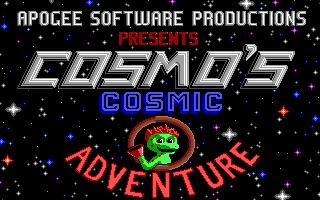
When you launch Cosmo's Cosmic Adventure, the first thing you hear is the chatter of the PC speaker throwing bleeps at you while AdLib music hums quietly in the background.
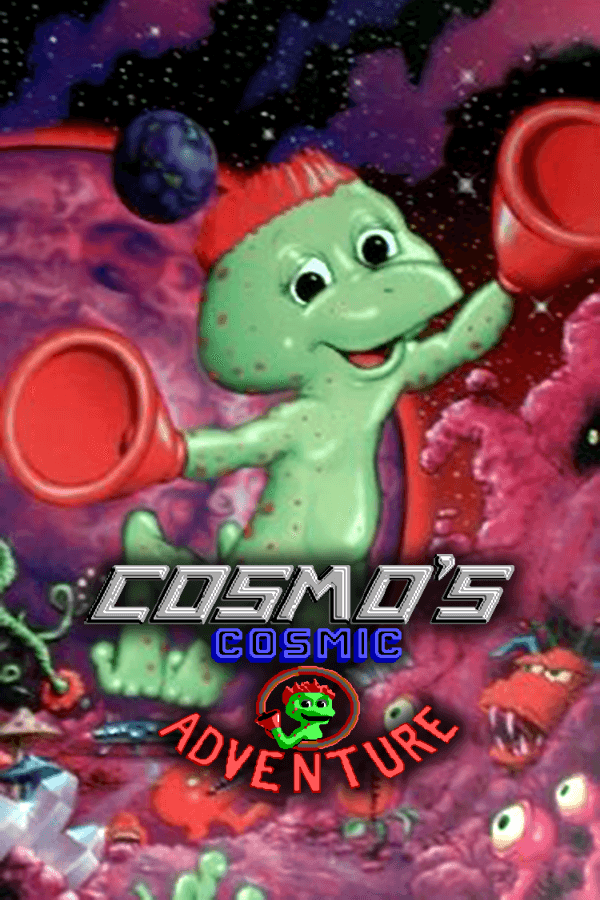
You control Cosmo, a green alien boy with red spots and suction cups for hands. His family spaceship crash-lands on an unknown planet while heading to Disney World, leaving his parents missing. To find them, you run, jump, and climb across alien landscapes, haunted forests, ice caves, and futuristic cities. The defining mechanic is Cosmo's suction-cup hands. Walking into any vertical wall lets you scale straight up it, bypassing vertical gaps that would stop standard platforming heroes dead in their tracks.
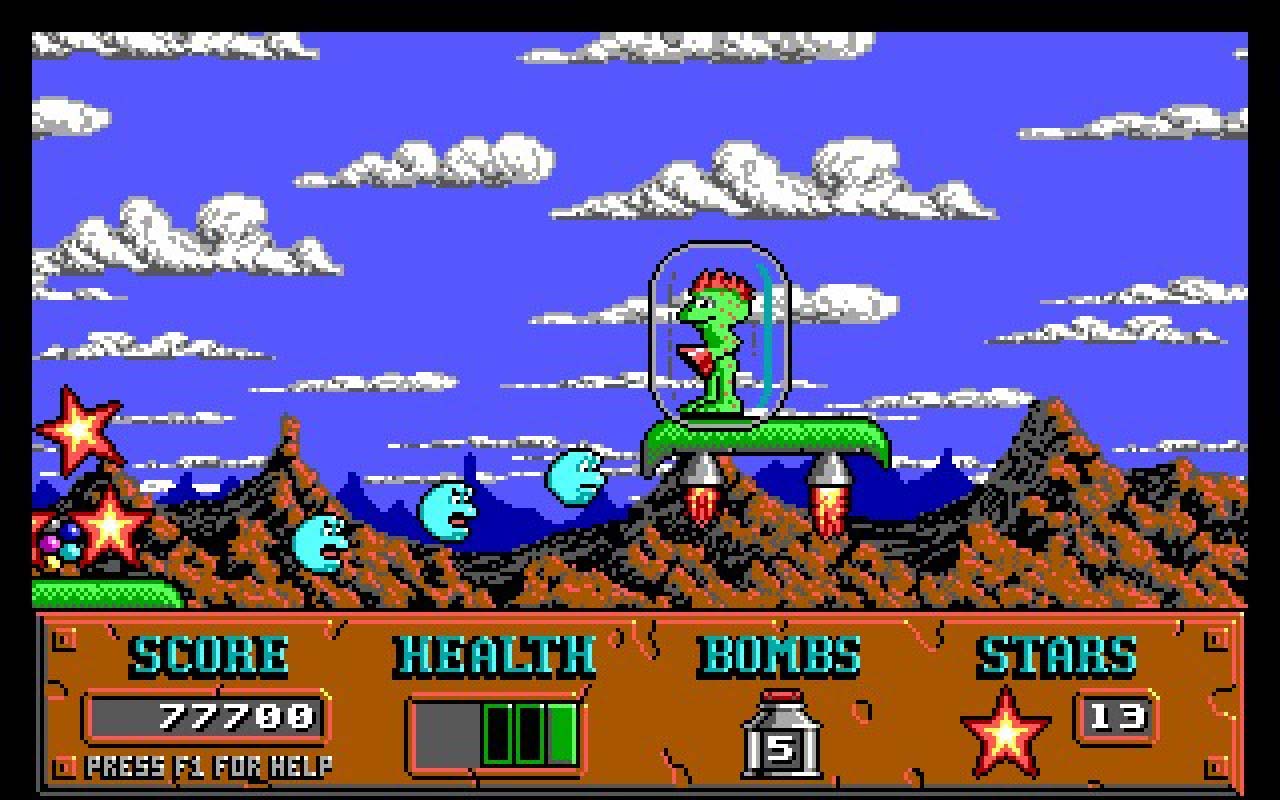
The rest of your toolkit relies on timing and explosive force. You can drop bombs to clear enemies, destroy obstacles, or blow open secret chambers. Hint globes dot the maps, offering cryptic advice or bursting into a massive 12,800 points if you detonate a bomb next to them. Stars scattered across the stages open up bonus levels between rounds if you gather enough. You start with three health units, but hunting down two hidden cheeseburgers per episode extends your maximum health bar to five units permanently.
Apogee Software heavily promoted the engine as their big technical leap forward. Programmed by Todd J. Replogle with art by Stephen A. Hornback, early builds went under working titles like The Adventures of Zonk and Cosmo: Kid From Space. Producer Scott Miller pushed the game under Apogee's famous shareware model, releasing the first ten levels for free. Composer Robert Prince provided the soundtrack, writing catchy FM synthesizer tunes that pushed AdLib cards hard.
The engine featured three-layer masked horizontal parallax scrolling. Apogee advertised it as a major breakthrough for IBM PC gaming, bringing multi-scrolling backgrounds to standard hardware. However, engine compromises were obvious on screen. Because the graphics engine shifted scenes in eight-pixel tile increments rather than single pixels, movement felt choppy. The frame rate suffered, producing a signature shuddering scroll whenever Cosmo ran across wide stages.
Level progression across all three episodes reveals a sharp mechanical shift. The ten levels of Episode 1 feature wide margins for error, friendly platform spacing, and abundant extra lives. At the climax of Episode 1, a giant creature swallows Cosmo whole. Episode 2 begins entirely inside the monster's digestive system, where the difficulty rises sharply. Hazards multiply, platform landings shrink, and stage layouts demand precise knowledge of what lies offscreen.
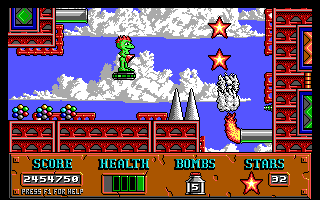
That sudden difficulty jump reveals the game's biggest flaw: blind drops. Stage architecture frequently forces you to jump downward into areas you cannot see ahead of time. Falling straight into spikes or aggressive enemies causes instant damage before you can react. While bouncy springs, ceiling buttons, and hovercrafts add variety, identical tile sets across levels mean stages within an episode often feel mechanically indistinct.
Apogee built plenty of secrets into the game to keep shareware players talking. Typing GOD in the shareware version does not activate invincibility; instead, a cheeky prompt appears telling you that praying will not help and ordering you to go blast everything. Players looking for real help used key combinations instead. Holding C, 0, and F10 instantly restored full health and supplied nine bombs. The main debug command required pressing TAB, DELETE, and F12 together, after which F10 and G toggled god mode while F10 and W warp-jumped through levels.
Audio design split the difference between hardware eras. While background music required an AdLib-compatible sound card for proper playback, sound effects relied entirely on the internal PC speaker. Every jump, bomb explosion, and health pickup produced high-pitched squawking noises straight from the motherboard console speaker, creating a noisy audio mix that fans remember vividly.
This 1992 release sits in a unique spot among early 1990s action games. The eight-pixel jerky scrolling and punish-by-falling hazard design feel rough compared to smooth console platformers from 1992. Yet the suction-cup climbing mechanics, bomb puzzles, and bright monster art give it genuine character. If you want a quick hit of DOS platforming design from publisher Apogee Software, it makes for a fun afternoon distraction.
You can play Cosmo's Cosmic Adventure free in your browser right now with nothing to install. First-time players often expect full smooth scrolling, but once you adjust to the jerky eight-pixel camera steps, the wall-climbing navigation feels natural. Jump straight into the original shareware levels, collect those cheeseburgers, and watch out for blind drops.
When you launch Cosmo's Cosmic Adventure, the first thing you hear is the chatter of the PC speaker throwing bleeps at you while AdLib music hums quietly in the background.
You control Cosmo, a green alien boy with red spots and suction cups for hands. His family spaceship crash-lands on an unknown planet while heading to Disney World, leaving his parents missing. To find them, you run, jump, and climb across alien landscapes, haunted forests, ice caves, and futuristic cities. The defining mechanic is Cosmo's suction-cup hands. Walking into any vertical wall lets you scale straight up it, bypassing vertical gaps that would stop standard platforming heroes dead in their tracks.
The rest of your toolkit relies on timing and explosive force. You can drop bombs to clear enemies, destroy obstacles, or blow open secret chambers. Hint globes dot the maps, offering cryptic advice or bursting into a massive 12,800 points if you detonate a bomb next to them. Stars scattered across the stages open up bonus levels between rounds if you gather enough. You start with three health units, but hunting down two hidden cheeseburgers per episode extends your maximum health bar to five units permanently.

Apogee Software heavily promoted the engine as their big technical leap forward. Programmed by Todd J. Replogle with art by Stephen A. Hornback, early builds went under working titles like The Adventures of Zonk and Cosmo: Kid From Space. Producer Scott Miller pushed the game under Apogee's famous shareware model, releasing the first ten levels for free. Composer Robert Prince provided the soundtrack, writing catchy FM synthesizer tunes that pushed AdLib cards hard.
The engine featured three-layer masked horizontal parallax scrolling. Apogee advertised it as a major breakthrough for IBM PC gaming, bringing multi-scrolling backgrounds to standard hardware. However, engine compromises were obvious on screen. Because the graphics engine shifted scenes in eight-pixel tile increments rather than single pixels, movement felt choppy. The frame rate suffered, producing a signature shuddering scroll whenever Cosmo ran across wide stages.

Level progression across all three episodes reveals a sharp mechanical shift. The ten levels of Episode 1 feature wide margins for error, friendly platform spacing, and abundant extra lives. At the climax of Episode 1, a giant creature swallows Cosmo whole. Episode 2 begins entirely inside the monster's digestive system, where the difficulty rises sharply. Hazards multiply, platform landings shrink, and stage layouts demand precise knowledge of what lies offscreen.
That sudden difficulty jump reveals the game's biggest flaw: blind drops. Stage architecture frequently forces you to jump downward into areas you cannot see ahead of time. Falling straight into spikes or aggressive enemies causes instant damage before you can react. While bouncy springs, ceiling buttons, and hovercrafts add variety, identical tile sets across levels mean stages within an episode often feel mechanically indistinct.

Apogee built plenty of secrets into the game to keep shareware players talking. Typing GOD in the shareware version does not activate invincibility; instead, a cheeky prompt appears telling you that praying will not help and ordering you to go blast everything. Players looking for real help used key combinations instead. Holding C, 0, and F10 instantly restored full health and supplied nine bombs. The main debug command required pressing TAB, DELETE, and F12 together, after which F10 and G toggled god mode while F10 and W warp-jumped through levels.
Audio design split the difference between hardware eras. While background music required an AdLib-compatible sound card for proper playback, sound effects relied entirely on the internal PC speaker. Every jump, bomb explosion, and health pickup produced high-pitched squawking noises straight from the motherboard console speaker, creating a noisy audio mix that fans remember vividly.
This 1992 release sits in a unique spot among early 1990s action games. The eight-pixel jerky scrolling and punish-by-falling hazard design feel rough compared to smooth console platformers from 1992. Yet the suction-cup climbing mechanics, bomb puzzles, and bright monster art give it genuine character. If you want a quick hit of DOS platforming design from publisher Apogee Software, it makes for a fun afternoon distraction.
You can play Cosmo's Cosmic Adventure free in your browser right now with nothing to install. First-time players often expect full smooth scrolling, but once you adjust to the jerky eight-pixel camera steps, the wall-climbing navigation feels natural. Jump straight into the original shareware levels, collect those cheeseburgers, and watch out for blind drops.
How Cosmo's Cosmic Adventure is played — the keys the game listens to, grouped by what they do.
Highlighted keys are mapped — hover or tap one to see what it does.
Controls can be customized in-game or in setup, and analog PC joysticks are supported.
The on-screen keyboard and gamepad mapping the browser player uses on a phone, a tablet or a controller, as opposed to the real keys above. $PRO members make their own in the player and share them here; anyone can pick one to play with.
Cheat codes, console commands and memory pokes for Cosmo's Cosmic Adventure — each one verified and attributed.
Sign in to submitaka Cosmo: Kid From Space · The Adventures of Zonk
How Cosmo's Cosmic Adventure is played — the keys the game listens to, grouped by what they do.
Highlighted keys are mapped — hover or tap one to see what it does.
Controls can be customized in-game or in setup, and analog PC joysticks are supported.
The on-screen keyboard and gamepad mapping the browser player uses on a phone, a tablet or a controller, as opposed to the real keys above. $PRO members make their own in the player and share them here; anyone can pick one to play with.
Cheat codes, console commands and memory pokes for Cosmo's Cosmic Adventure — each one verified and attributed.
Sign in to submit