
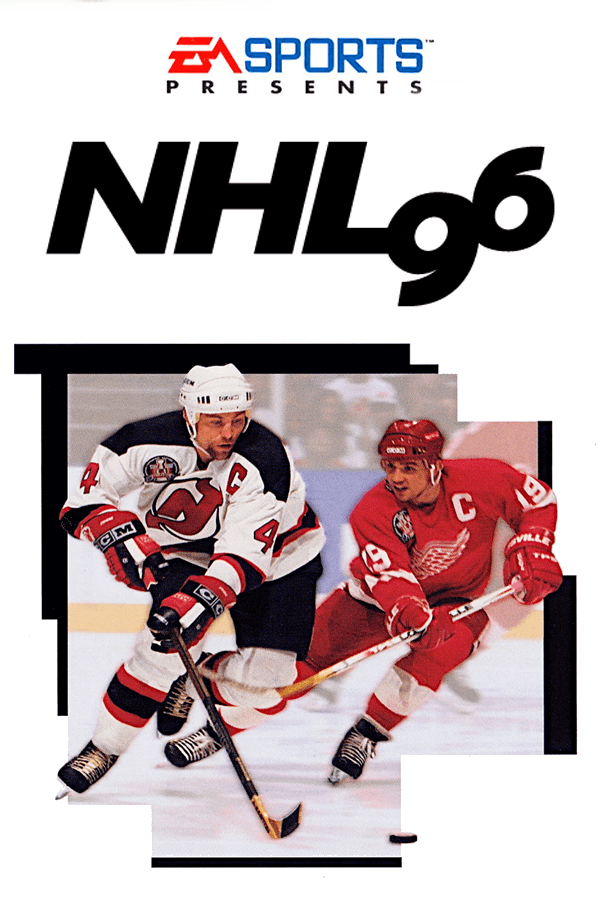

Playing NHL 96 on PC meant trading flat, top-down ice for a tilting, zooming camera and listening to 2 Unlimited bump through your Sound Blaster.
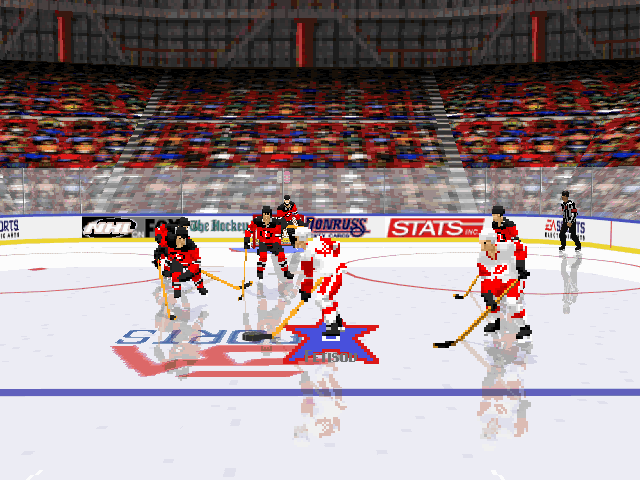
The first thing you noticed launching the 1995 MS-DOS version was the camera move. EA Canada dropped the fixed perspective of the earlier games for their new Virtual Stadium engine, scaling 2D player sprites across a 3D arena that dynamic camera angles could smoothly track. When you broke out of your defensive zone, the viewport pulled back to show your wingers streaking down the boards, then slammed in close as you lined up a wrist shot on goal.
That dynamic camera added genuine dramatic weight to every rush, but it came with a compromise on PC hardware of the era. On a mid-range 486, the framerate took a hit, making the action feel noticeably heavy compared to the snappy 16-bit console releases. If your machine was not up to the task, quick shifts in direction felt laggy, turning high-speed defensive checks into guessing games.
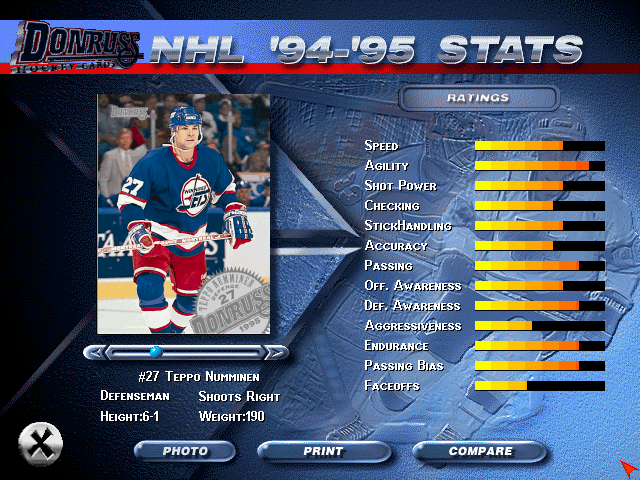
When the framerate holds steady, the arcade controls shine. Passing is built for speed: you can ping the puck around the perimeter with one-touch passing to catch out the goalies before they set their stance. You get full control over line changes, giving you the choice to manually cycle fatigued scoring lines out or let the computer handle squad rotations during stoppages.
The managerial depth extends into season mode, offering 48 or 82-game schedules alongside full playoff runs for the Stanley Cup. You can edit existing lines, swap players between rosters, and build custom skaters from scratch. Oddly enough, the roster includes the Quebec Nordiques despite the franchise relocating to become the Avalanche right before the 1995 - 96 season started, preserving a slice of real-world hockey transitions inside the menus.
While some sports simulations leaned away from the rougher edges of the game, developer EA Canada brought back drop-the-gloves fighting with expanded animations. Once two players lock up on the ice, you can scrap until one of three definitive end conditions triggers: knocking the opponent flat, sending them squirming on the ice in injury, or pulling their jersey right over their head.
If you prefer a pure simulation without penalties or fights interrupting the flow, the game lets you toggle offsides, rules, and fighting off entirely in the options menu. It was also the final game in the series to put two active players on the North American cover, putting Steve Yzerman and Scott Stevens side-by-side.
For all its visual updates, the MS-DOS release has quirks that irritate modern retro gamers. Goalies act with a mind of their own, and players coming from earlier entries often complain about the reduced direct manual control over the netminder. When configuring audio, getting the Sound Blaster settings right was crucial to hear the arena announcer over the background music, which featured 2 Unlimited's classic track "Get Ready for This".
If you run the executable on modern rigs via DOSBox without fine-tuning the setup, technical hitches surface quickly. Crowd graphics can render as solid black blocks, sound drivers can fail to initialize, and the game can lock up entirely during initial match loading. Get the config right, though, and it sits right on the line between old-school sprite hockey and the 3D era.
If you want to jump into a quick exhibition match, test your one-touch passes, or take a run through the playoffs, you can play NHL 96 free in your browser right now. There is nothing to install, meaning you can skip the old setup screen headaches and jump straight onto the ice.
Modern players trying the MS-DOS game for the first time often try to control every movement manually, but the trick is leaning into the quick-pass mechanics. Keep the puck moving across the slot to throw off the AI goalie's tracking before taking your shot.
Playing NHL 96 on PC meant trading flat, top-down ice for a tilting, zooming camera and listening to 2 Unlimited bump through your Sound Blaster.
The first thing you noticed launching the 1995 MS-DOS version was the camera move. EA Canada dropped the fixed perspective of the earlier games for their new Virtual Stadium engine, scaling 2D player sprites across a 3D arena that dynamic camera angles could smoothly track. When you broke out of your defensive zone, the viewport pulled back to show your wingers streaking down the boards, then slammed in close as you lined up a wrist shot on goal.
That dynamic camera added genuine dramatic weight to every rush, but it came with a compromise on PC hardware of the era. On a mid-range 486, the framerate took a hit, making the action feel noticeably heavy compared to the snappy 16-bit console releases. If your machine was not up to the task, quick shifts in direction felt laggy, turning high-speed defensive checks into guessing games.

When the framerate holds steady, the arcade controls shine. Passing is built for speed: you can ping the puck around the perimeter with one-touch passing to catch out the goalies before they set their stance. You get full control over line changes, giving you the choice to manually cycle fatigued scoring lines out or let the computer handle squad rotations during stoppages.
The managerial depth extends into season mode, offering 48 or 82-game schedules alongside full playoff runs for the Stanley Cup. You can edit existing lines, swap players between rosters, and build custom skaters from scratch. Oddly enough, the roster includes the Quebec Nordiques despite the franchise relocating to become the Avalanche right before the 1995 - 96 season started, preserving a slice of real-world hockey transitions inside the menus.

While some sports simulations leaned away from the rougher edges of the game, developer EA Canada brought back drop-the-gloves fighting with expanded animations. Once two players lock up on the ice, you can scrap until one of three definitive end conditions triggers: knocking the opponent flat, sending them squirming on the ice in injury, or pulling their jersey right over their head.
If you prefer a pure simulation without penalties or fights interrupting the flow, the game lets you toggle offsides, rules, and fighting off entirely in the options menu. It was also the final game in the series to put two active players on the North American cover, putting Steve Yzerman and Scott Stevens side-by-side.

For all its visual updates, the MS-DOS release has quirks that irritate modern retro gamers. Goalies act with a mind of their own, and players coming from earlier entries often complain about the reduced direct manual control over the netminder. When configuring audio, getting the Sound Blaster settings right was crucial to hear the arena announcer over the background music, which featured 2 Unlimited's classic track "Get Ready for This".
If you run the executable on modern rigs via DOSBox without fine-tuning the setup, technical hitches surface quickly. Crowd graphics can render as solid black blocks, sound drivers can fail to initialize, and the game can lock up entirely during initial match loading. Get the config right, though, and it sits right on the line between old-school sprite hockey and the 3D era.
If you want to jump into a quick exhibition match, test your one-touch passes, or take a run through the playoffs, you can play NHL 96 free in your browser right now. There is nothing to install, meaning you can skip the old setup screen headaches and jump straight onto the ice.
Modern players trying the MS-DOS game for the first time often try to control every movement manually, but the trick is leaning into the quick-pass mechanics. Keep the puck moving across the slot to throw off the AI goalie's tracking before taking your shot.
aka NHL Hockey '96 · NHL Hockey
How NHL 96 is played — the keys the game listens to, grouped by what they do.
Highlighted keys are mapped — hover or tap one to see what it does.
The on-screen keyboard and gamepad mapping the browser player uses on a phone, a tablet or a controller, as opposed to the real keys above. $PRO members make their own in the player and share them here; anyone can pick one to play with.
Cheat codes, console commands and memory pokes for NHL 96 — each one verified and attributed.
Sign in to submitHow NHL 96 is played — the keys the game listens to, grouped by what they do.
Highlighted keys are mapped — hover or tap one to see what it does.
The on-screen keyboard and gamepad mapping the browser player uses on a phone, a tablet or a controller, as opposed to the real keys above. $PRO members make their own in the player and share them here; anyone can pick one to play with.
Cheat codes, console commands and memory pokes for NHL 96 — each one verified and attributed.
Sign in to submit