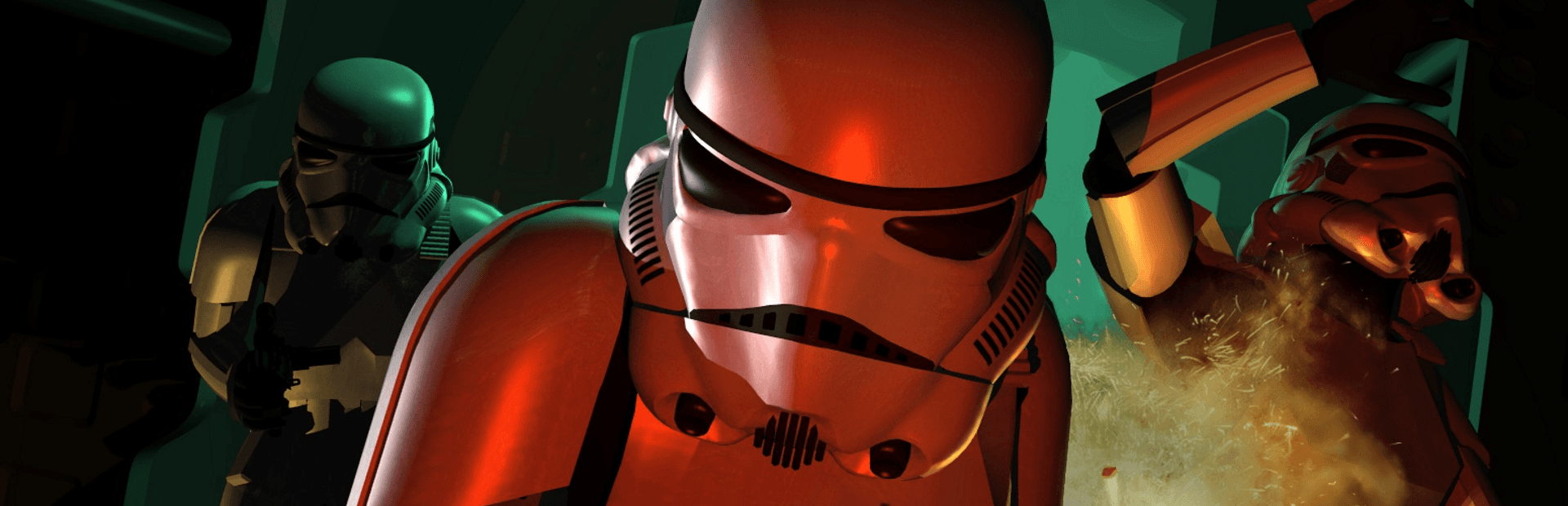


Star Wars: Dark Forces
aka Star Wars: Dark Forces (Classic, 1995)
Streaming build
Checking storage…191 MB
Preload in background
JIT compiler
Rate this game
- Played
- All the time
Stealing the Death Star plans in Star Wars: Dark Forces was just a warm-up before you had to navigate murky sewers, dodge thermal detonators, and face off against General Rom Mohc's mechanical monstrosities.
Building vertical worlds inside the Jedi Engine
When LucasArts set out to build a first-person shooter, they bypassed off-the-shelf software and developed their own technology called the Jedi Engine. Designed by Ray Gresko and Winston Wolff, this tech let mercenary Kyle Katarn step into dynamic environments that went far beyond flat corridors. You could look up and down, crouch under low pipes, jump across ledges, and swim through water. The engine even managed rooms stacked on top of rooms, a feature that blew open level design in 1995.
The game kicks off with immediate force. In the very first level on Secret Base, you drop in, pull out your Bryar Pistol, and exchange fire with Imperial Stormtroopers. Sound design does heavy lifting here. Gunshots pop with authentic Skywalker Sound effects, and the dynamic iMUSE audio system shifts the MIDI soundtrack on the fly as firefights break out. On hardware like a Sound Blaster 16, Roland MT-32, or Gravis UltraSound, Clint Bajakian's score gave every hall an oppressive Imperial tension.
Instead of just hunting for exit doors, your missions carry multi-step objectives. You are stealing plans, placing charges, or rescuing prisoners across 14 distinct operations. That mission focus gives purpose to the shooting, but it also means you have to pay attention to where you walk and what switches you flip.
Where every player got lost in the sewers
Level structure is where the Jedi Engine shows both its brilliance and its cruelty. Justin Chin's level architecture creates believable, sprawling facilities, but it also creates brutal mazes. The Anoat City sewer stage is notorious for a reason. You spend your time turning valves, raising and lowering water levels, and hunting for keycards while swimming through murky sludge.
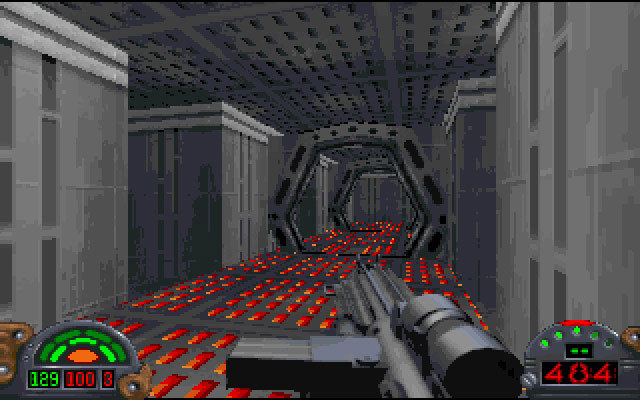
Navigating these spaces was notoriously tricky because the automap overlay covered your whole screen, making it hard to dodge incoming plasma bolts while checking your location. On top of that, original MS-DOS keyboard controls required awkward key combinations just to tilt your pitch and look high or low. If you were searching for hidden alcoves or dodging thermal land mines, keeping your bearings took work.
The arsenal you bring into these mazes gives you an answer for every room. You start with basic blasters, but soon collect heavy gear like the Jeron Fusion Cutter, Imperial Repeater Rifle, Stouker Concussion Rifle, and the Packered Mortar Gun. You will need every bit of firepower when clearing rooms packed with Trandoshans, Gamorrean guards, and terrifying Kell Dragons.
The ruthless lack of mid-mission saves
If you ask anyone who played the game upon release what gave them nightmares, it was the save system. You had a stock of lives for each mission, but no ability to save your progress mid-level. If you lost your last life near the end of a long, complex facility, you were sent back to the title screen to start the entire operation from scratch.
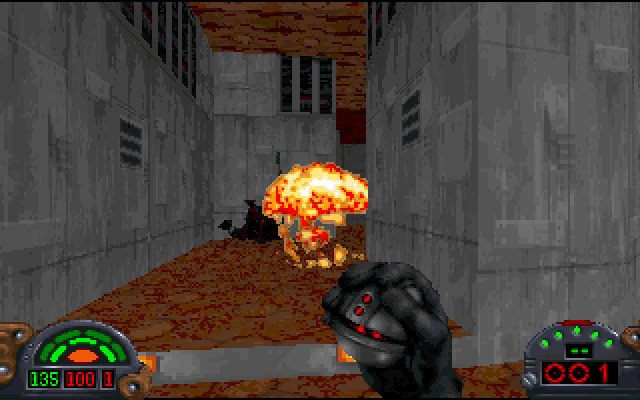
This design decision created massive difficulty spikes. Facing off against Boba Fett on Nar Shaddaa or fighting Phase I, II, and III Dark Troopers in the tight corridors of The Executor or The Arc Hammer was nerve-wracking. One wrong step into a pit or a bad bounce from a thermal detonator could end a forty-minute run instantly. Magazines at the time noted this frustration; Computer Gaming World praised the visual detail while pointing out how punishing the lack of mid-mission saves could be.
Because of that sting, keyboard cheats became part of the local schoolyard vocabulary. Thousands of players memorized code words to survive:
- LAIMLAME for complete invincibility when boss fights became too oppressive.
- LAPOST to grant a full inventory of weapons, gear, and ammunition.
- LASEWERS to jump past a level that felt impossible to navigate.
- LALOC to display map coordinates directly on screen.
Players who pushed through without cheats were often rewarded with secret rooms, extra supplies, and odd Easter eggs like hidden Ewok graphics tucked away behind fake walls.
How this classic holds up today
Looking back at the action space in 1995, the game succeeded because of how completely it captured its setting. Developed and published by LucasArts Entertainment Company LLC, it proved that narrative-driven shooters could succeed without relying on generic corridor runs. It set the groundwork for an entire franchise of games following Kyle Katarn, eventually evolving into the Jedi Knight series.

While the original keyboard layout feels stiff by modern standards and the sewer mazes still cause headaches, the core gunplay remains punchy. The weapon weight, sound effects, and enemy reactions give firefights a satisfying snap. It is a raw, challenging experience that rewards patience and careful exploration.
Step into Kyle Katarn's boots in your browser
You do not need to hunt down floppy disks or mess with old DOS setups to experience this chapter of Star Wars history. You can play Star Wars: Dark Forces online right now. Modern players coming to it for the first time are often surprised by how fast Kyle moves and how aggressive the stormtrooper AI can be, so keep your finger near the strafe keys.
Fire up this classic Star Wars: Dark Forces MS-DOS game directly in your web browser with no downloads required. Enjoy Star Wars: Dark Forces free in your browser, grab your Bryar Pistol, and see if you can pull off the heist that started it all.
How Star Wars: Dark Forces is played — the keys the game listens to, grouped by what they do.
- Movement
- Look
- Action
- Weapons & items
- Interface
- Left click — Primary weapon fire
Highlighted keys are mapped — hover or tap one to see what it does.
Controls can be custom remapped via SETUP.EXE. Hardware limitations on some PC keyboards may prevent crouching, running, and turning simultaneously.
Players' controls
Touch and gamepad controls
The on-screen keyboard and gamepad mapping the browser player uses on a phone, a tablet or a controller, as opposed to the real keys above. $PRO members make their own in the player and share them here; anyone can pick one to play with.
Make your own touch controlsPRO
- 1Open the editorSign in below, then pick what to make. The game starts with the editor open over it.
- 2Place your keysAdd keys and drag them where your thumbs rest, or map a controller's buttons. Test plays the game with them; Save keeps them, and you play with them from then on.
- 3Share themShare them right after saving in the game, or name and share them here. Players vote, and the best become this game's controls for everyone.
Go PROSee how it worksSign in+20 XP for sharing · +50 XP if yours become the game's own
- The game's own controlsKeyboardGamepadWhat every player starts with.In use
3 screenshots
From the archive
No gameplay video yet
No gameplay video for Star Wars: Dark Forces yet. Sign in to add one.
No reviews yet
Tell the community what you think of Star Wars: Dark Forces. Reviews are public and tied to your username.
No archived manuals for Star Wars: Dark Forces yet
No manuals archived for this title yet. Sign in to upload the first scan.
Cheat codes, console commands and memory pokes for Star Wars: Dark Forces — each one verified and attributed.
Sign in to submitNo cheats yet for this title
Know a working cheat, poke or trainer? Add it with the button above. Moderators check every entry before it goes live.
No archived soundtrack for Star Wars: Dark Forces yet
No soundtrack archived for this title yet. Sign in to upload the first rip.
No save states for Star Wars: Dark Forces yet
No save states for this title yet. Sign in to share one.
Discussions
Sign in to post- Threads0
- Total posts0
- Online now6
Community · Star Wars: Dark Forces
Who's contributing, and what's new
- Reviews0
- Threads0
- Uploadsapproved0
- Contributors0
Recent activity
Nothing here yet
Reviews, discussion threads and approved uploads appear here as members add them.