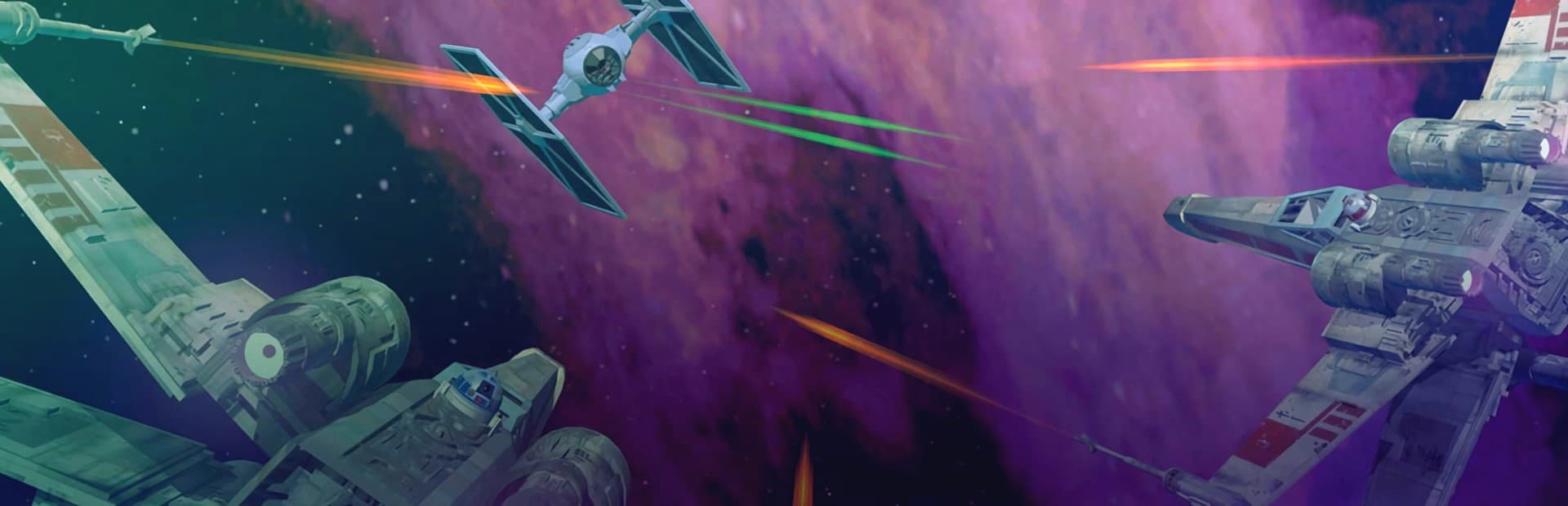
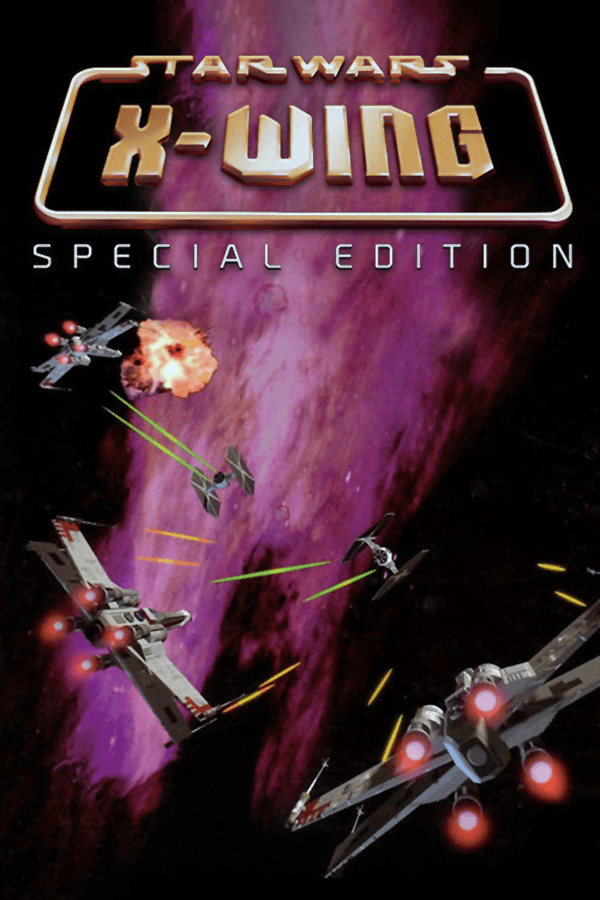
When Star Wars: X-Wing moved from floppy disks to CD-ROM in 1994, it turned early 3D space combat from a technical proof-of-concept into a brutally exacting flight sim.
In the early nineties, space combat on PCs mostly meant flat bitmap sprites or basic wireframe shapes. Lawrence Holland and Edward Kilham at Totally Games approached Star Wars: X-Wing from a different angle, building a custom 3D polygon engine that treated starfighters like actual craft with momentum, shield zones, and systemic energy needs. When LucasArts brought the game to the 1994 Collector's CD-ROM edition, they upgraded the rendering pipeline to the TIE Fighter engine, introducing Gouraud shading to smooth out the flat-shaded hulls of Imperial Star Destroyers and TIE Interceptors.
That technical shift changed how you read the dogfight in front of you. Rather than watching sprite scales snap awkwardly between distances, smooth Gouraud shading made target rotation clear from miles away, letting you align attack vector runs before firing a single laser bolt. The trade-off was a strict reliance on raw system hardware, though the Collector's CD-ROM locked its display to a 320x200 VGA viewport that looks noticeably chunky on larger screens today.
Sound design pulled equal weight in establishing the cockpit atmosphere. Using the dynamic iMUSE sound system written by Michael Land, Clint Bajakian, and Peter McConnell, the game shuffled MIDI music cues on the fly based on incoming danger, switching from quiet patrol themes to frantic combat brass whenever a squad of TIE Fighters dropped out of hyperspace. Paired with a Sound Blaster card or a General MIDI synthesizer, the dynamic score made every sudden Imperial jump feel terrifying.
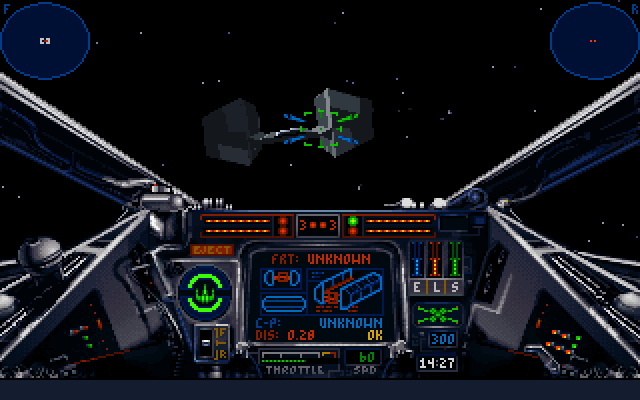
Playing pilot Keyan Farlander across the Rebel Alliance's early campaigns is less about twitch reflexes and more about dynamic resource management. Every craft you fly - whether it is the nimble A-Wing, the balanced X-Wing, the sluggish Y-Wing bomber, or the heavy B-Wing added in the expansion - forces you to constantly manage energy distribution between three distinct systems.
You balance your power grid across three primary channels using simple keyboard controls:
If you dump maximum energy into laser recharging while trying to tail a fast TIE Interceptor, your throttle drops, your engine output collapses, and you quickly become stationary target practice. Success means constantly adjusting these sliders mid-flight, transferring energy from fully charged laser banks into depleted rear shields the moment an enemy fighter gets behind your tail.
The CD-ROM release bundles the original three Tours of Duty (A New Ally, The Great Search, and The Gathering Storm) alongside the Imperial Pursuit and B-Wing expansions, stretching the total package across more than 120 individual missions. PC Gamer US awarded this release its 1994 Best CD-ROM Enhancement honor, largely because LucasArts Entertainment Company LLC re-recorded full briefings with professional voice talent instead of merely bundling extra diskettes. Hearing Erik Bauersfeld reprise his film role as Admiral Ackbar alongside General Dodonna gave mission preparation a genuine military feel.
Yet behind those digitized briefings lies an uncompromising target design that frequently pushed players to absolute frustration. Missions are full of zero-margin objectives where a single stray laser hit on a Mon Calamari Star Cruiser like the Independence means instant failure. Because the game lacks mid-mission checkpoints or mid-flight saving, failing an objective fifteen minutes into a complex inspection raid forces a complete restart from the briefing room.
The Trench Run against the Death Star is the ultimate test of this punishing design. Flying low through narrow surface turrets while keeping Darth Vader off your tail requires perfect flight line discipline and split-second shield transfers. If you miss the exhaust port target vector by a fraction of a degree, the Death Star clears the horizon and you get to do the entire fifteen-minute flight all over again.
The core narrative told through mission text and *The Farlander Papers* manual companion is somewhat dry compared to the character-driven story of its successor, TIE Fighter. You are a largely nameless gear in the Rebellion machine, moving from convoy defense to cargo inspection without much personal dialogue. The visual engine, while advanced for 1994, lacks the higher 640x480 SVGA option that later sim releases enjoyed, leaving distant targets looking like tiny clusters of square pixels until you are almost on top of them.
What keeps this classic action game worth playing is the pure weight of its space combat mechanics. Stripping down an Imperial Star Destroyer's shield generators with proton torpedoes while dodging interceptor waves remains deeply satisfying. The tactical layer forces you to think like an engineer and fly like a fighter pilot simultaneously, a combination few modern space combat games bother to replicate.
If you want to experience the origin of LucasArts space simulations, you can play Star Wars: X-Wing free in your browser right now. You can jump straight into the historical simulator to fly the heavy B-Wing or launch into the original Death Star assault without needing complex DOS setup files or custom floppy disk images.
Take ten minutes to launch a single Y-Wing torpedo mission against an Imperial freighter transport. The moment you hear Michael Land's dynamic iMUSE score swell while balancing laser power against engine output, you will immediately see why this classic set the standard for an entire decade of space combat simulators.
When Star Wars: X-Wing moved from floppy disks to CD-ROM in 1994, it turned early 3D space combat from a technical proof-of-concept into a brutally exacting flight sim.
In the early nineties, space combat on PCs mostly meant flat bitmap sprites or basic wireframe shapes. Lawrence Holland and Edward Kilham at Totally Games approached Star Wars: X-Wing from a different angle, building a custom 3D polygon engine that treated starfighters like actual craft with momentum, shield zones, and systemic energy needs. When LucasArts brought the game to the 1994 Collector's CD-ROM edition, they upgraded the rendering pipeline to the TIE Fighter engine, introducing Gouraud shading to smooth out the flat-shaded hulls of Imperial Star Destroyers and TIE Interceptors.
That technical shift changed how you read the dogfight in front of you. Rather than watching sprite scales snap awkwardly between distances, smooth Gouraud shading made target rotation clear from miles away, letting you align attack vector runs before firing a single laser bolt. The trade-off was a strict reliance on raw system hardware, though the Collector's CD-ROM locked its display to a 320x200 VGA viewport that looks noticeably chunky on larger screens today.
Sound design pulled equal weight in establishing the cockpit atmosphere. Using the dynamic iMUSE sound system written by Michael Land, Clint Bajakian, and Peter McConnell, the game shuffled MIDI music cues on the fly based on incoming danger, switching from quiet patrol themes to frantic combat brass whenever a squad of TIE Fighters dropped out of hyperspace. Paired with a Sound Blaster card or a General MIDI synthesizer, the dynamic score made every sudden Imperial jump feel terrifying.
Playing pilot Keyan Farlander across the Rebel Alliance's early campaigns is less about twitch reflexes and more about dynamic resource management. Every craft you fly - whether it is the nimble A-Wing, the balanced X-Wing, the sluggish Y-Wing bomber, or the heavy B-Wing added in the expansion - forces you to constantly manage energy distribution between three distinct systems.
You balance your power grid across three primary channels using simple keyboard controls:
If you dump maximum energy into laser recharging while trying to tail a fast TIE Interceptor, your throttle drops, your engine output collapses, and you quickly become stationary target practice. Success means constantly adjusting these sliders mid-flight, transferring energy from fully charged laser banks into depleted rear shields the moment an enemy fighter gets behind your tail.
The CD-ROM release bundles the original three Tours of Duty (A New Ally, The Great Search, and The Gathering Storm) alongside the Imperial Pursuit and B-Wing expansions, stretching the total package across more than 120 individual missions. PC Gamer US awarded this release its 1994 Best CD-ROM Enhancement honor, largely because LucasArts Entertainment Company LLC re-recorded full briefings with professional voice talent instead of merely bundling extra diskettes. Hearing Erik Bauersfeld reprise his film role as Admiral Ackbar alongside General Dodonna gave mission preparation a genuine military feel.
Yet behind those digitized briefings lies an uncompromising target design that frequently pushed players to absolute frustration. Missions are full of zero-margin objectives where a single stray laser hit on a Mon Calamari Star Cruiser like the Independence means instant failure. Because the game lacks mid-mission checkpoints or mid-flight saving, failing an objective fifteen minutes into a complex inspection raid forces a complete restart from the briefing room.
The Trench Run against the Death Star is the ultimate test of this punishing design. Flying low through narrow surface turrets while keeping Darth Vader off your tail requires perfect flight line discipline and split-second shield transfers. If you miss the exhaust port target vector by a fraction of a degree, the Death Star clears the horizon and you get to do the entire fifteen-minute flight all over again.
The core narrative told through mission text and *The Farlander Papers* manual companion is somewhat dry compared to the character-driven story of its successor, TIE Fighter. You are a largely nameless gear in the Rebellion machine, moving from convoy defense to cargo inspection without much personal dialogue. The visual engine, while advanced for 1994, lacks the higher 640x480 SVGA option that later sim releases enjoyed, leaving distant targets looking like tiny clusters of square pixels until you are almost on top of them.
What keeps this classic action game worth playing is the pure weight of its space combat mechanics. Stripping down an Imperial Star Destroyer's shield generators with proton torpedoes while dodging interceptor waves remains deeply satisfying. The tactical layer forces you to think like an engineer and fly like a fighter pilot simultaneously, a combination few modern space combat games bother to replicate.
If you want to experience the origin of LucasArts space simulations, you can play Star Wars: X-Wing free in your browser right now. You can jump straight into the historical simulator to fly the heavy B-Wing or launch into the original Death Star assault without needing complex DOS setup files or custom floppy disk images.
Take ten minutes to launch a single Y-Wing torpedo mission against an Imperial freighter transport. The moment you hear Michael Land's dynamic iMUSE score swell while balancing laser power against engine output, you will immediately see why this classic set the standard for an entire decade of space combat simulators.
How Star Wars: X-Wing (Collector's CD-ROM) is played — the keys the game listens to, grouped by what they do.
Highlighted keys are mapped — hover or tap one to see what it does.
Flight controls support joystick, mouse, or keypad/arrow keys. Press Alt-C in-game to calibrate joysticks.
The on-screen keyboard and gamepad mapping the browser player uses on a phone, a tablet or a controller, as opposed to the real keys above. $PRO members make their own in the player and share them here; anyone can pick one to play with.
Cheat codes, console commands and memory pokes for Star Wars: X-Wing (Collector's CD-ROM) — each one verified and attributed.
Sign in to submitaka Star Wars: X-Wing - CD-ROM Collector · Star Wars: X-Wing - CD-ROM Edition · Star Wars: X-Wing - CD-ROM para DOS · Star Wars: X-Wing - Collector's CD-ROM Edition
How Star Wars: X-Wing (Collector's CD-ROM) is played — the keys the game listens to, grouped by what they do.
Highlighted keys are mapped — hover or tap one to see what it does.
Flight controls support joystick, mouse, or keypad/arrow keys. Press Alt-C in-game to calibrate joysticks.
The on-screen keyboard and gamepad mapping the browser player uses on a phone, a tablet or a controller, as opposed to the real keys above. $PRO members make their own in the player and share them here; anyone can pick one to play with.
Cheat codes, console commands and memory pokes for Star Wars: X-Wing (Collector's CD-ROM) — each one verified and attributed.
Sign in to submit